
Khelo24Bet App Download
To download the Khelo24Bet mobile app safely, you must obtain the official APK directly from the verified Khelo24Bet website. The app is primarily distributed as an Android APK installer, while iOS users access the platform through an optimized mobile web version or progressive web app (PWA) shortcut.
Do not download Khelo24Bet files from third-party APK mirrors, Telegram channels, WhatsApp groups, or unverified app store listings. Downloading modified APK files puts your smartphone at risk of malware, data theft, and payment fraud.
Technical Specifications & System Requirements
Before downloading the Khelo24bet App or accessing the mobile platform, make sure your smartphone meets the minimum operating specifications for smooth performance.
| Specification | Android Requirements | iOS (Mobile Web / PWA) Requirements |
| Operating System | Android 7.0 (Nougat) or higher | iOS 13.0, iPadOS 13.0, or higher |
| File Size (APK) | Approximately 35 MB to 55 MB | No storage download needed (Web Cache ~10 MB) |
| RAM Needed | Minimum 2 GB (3 GB or higher recommended) | Minimum 2 GB RAM |
| Processor | Quad-Core 1.5 GHz or better | Apple A10 Fusion chip or newer |
| Internet Speed | Stable 4G, 5G, or Wi-Fi connection | Stable 4G, 5G, or Wi-Fi connection |
| Permissions | Storage (for updates), Network Access | Mobile browser location (if prompted) |
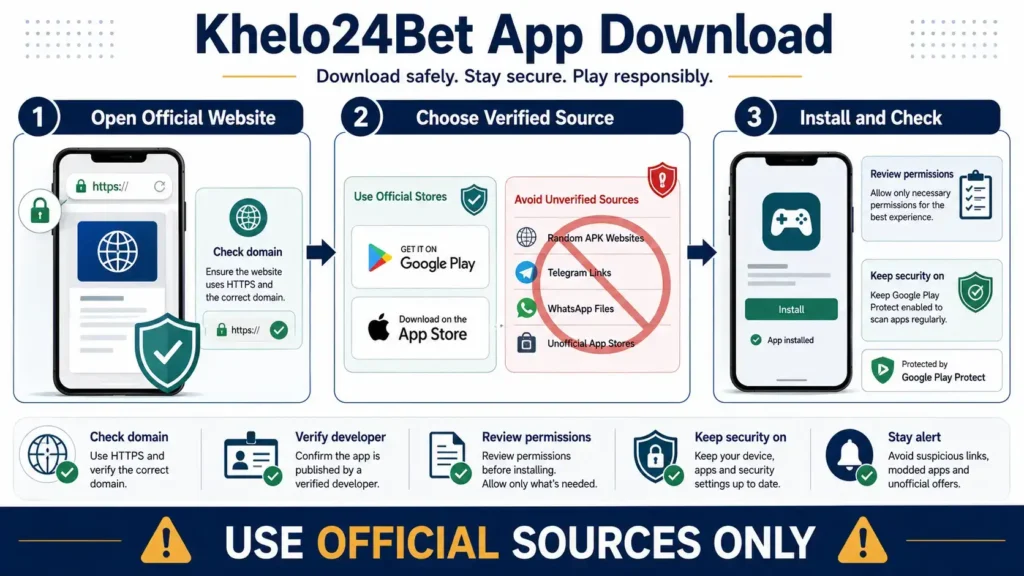
Critical Safety Warning
The biggest risk for mobile gaming users in India is installing malicious clone applications. Fraudulent websites copy the branding of popular gaming platforms and distribute modified APK files containing spyware or keyloggers designed to capture bank details, UPI PINs, and personal identity documents.
[Safe Path]
Official Domain (HTTPS) ──> Official /download/ Page ──> Direct Clean APK ──> Secure Play
[Dangerous Path]
Telegram / WhatsApp Link ──> Third-Party APK Mirror ──> Malware / Trojan ──> Compromised Device
Essential Safety Checkpoints
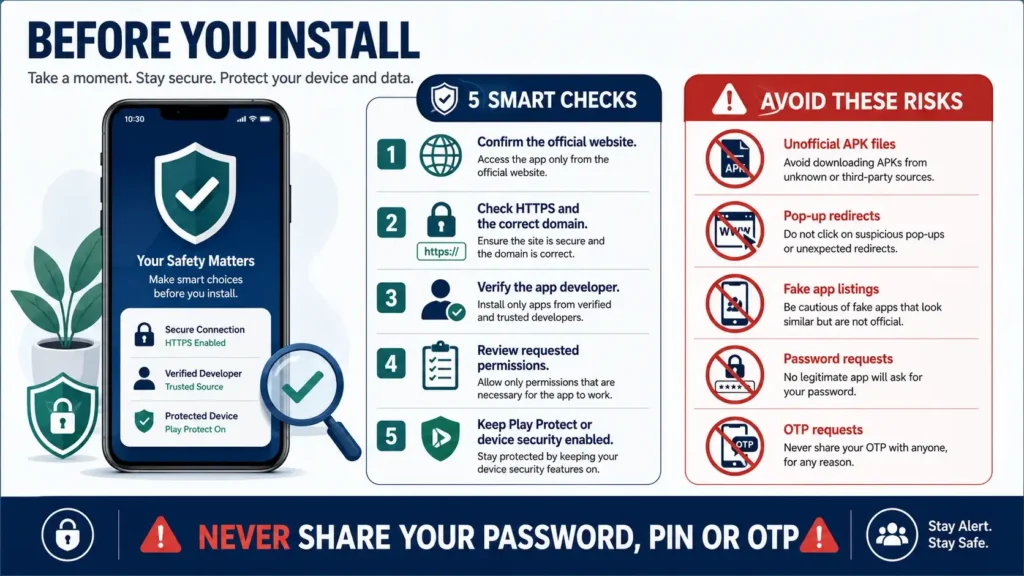
- Verify the Domain Name: Always check that the domain name is correct and secured by an active SSL/TLS certificate (HTTPS padlock icon in your browser address bar).
- Never Pay for the APK: The official Khelo24Bet app installer is free to download. Any website asking for a fee to download the app is a scam.
- Avoid Messaging Groups: Do not trust direct APK file drops inside Telegram channels, WhatsApp groups, or YouTube video description links.
- Check Permission Requests: A sports and gaming app does not need access to your contact book, SMS inbox, call records, accessibility services, or device administrator controls.
How to Download and Install Khelo24Bet App on Android
Because Google Play Store policies restrict real-money gambling applications in India, the Android app is distributed as a direct APK file through the operator’s website. Follow this step-by-step setup procedure carefully.
Step 1: Visit Official Site ──> Step 2: Download APK File ──> Step 3: Enable Unknown Sources ──> Step 4: Install & Verify
Detailed Android Installation Steps
- Visit the Official Mobile Site: Open Google Chrome or your default mobile browser and navigate directly to the verified Khelo24Bet homepage.
- Locate the Mobile App Section: Tap on the Download App or Android APK button located on the top banner or footer menu.
- Initiate the Download: Tap Download Anyway if your browser displays the standard warning: “File might be harmful. Do you want to download Khelo24Bet.apk anyway?” (This is a default Android warning for any file downloaded outside the Google Play Store).
- Enable Unknown Sources (If Prompted):
- Go to your device Settings > Security or Privacy.
- Select Install Unknown Apps.
- Find your browser (e.g., Chrome) and toggle on Allow from this source.
- Install the Package: Open your device’s Downloads folder, tap
khelo24bet.apk, and press Install. - Scan with Google Play Protect: Allow Google Play Protect to scan the package to confirm it contains no malicious code.
- Launch the Application: Once installed, tap Open to launch the platform dashboard.
- Delete the Installation File: To free up storage space, open your file manager and delete the downloaded APK installer package.
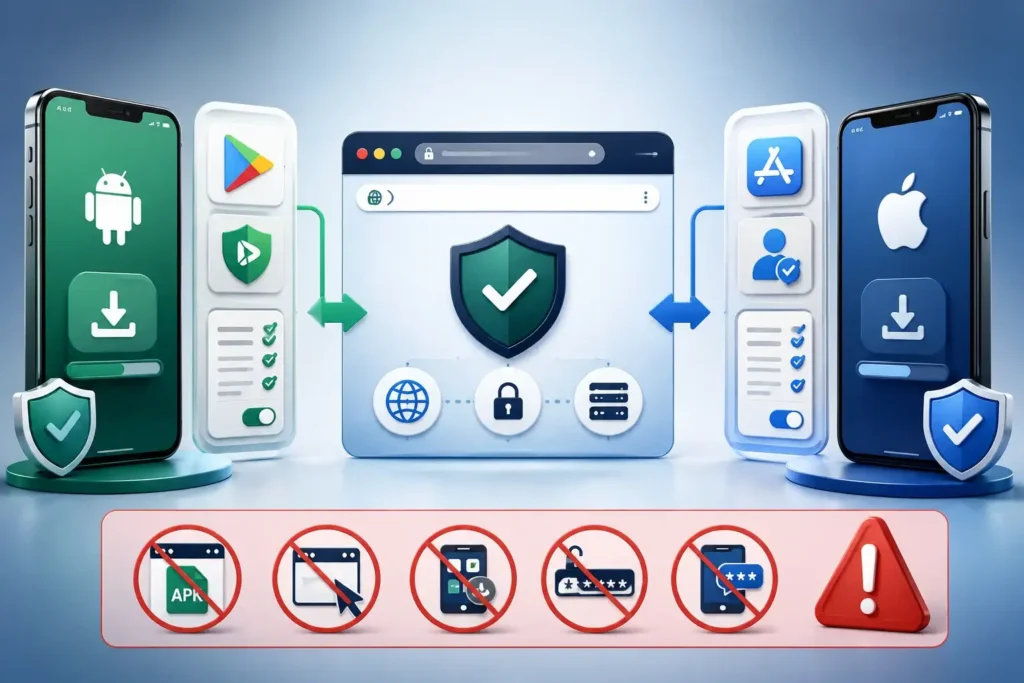
How to Set Up Khelo24Bet App on iPhone and iPad (iOS)
Currently, native real-money casino apps are restricted on the official Apple App Store in India. iOS users can access the complete platform by creating a Progressive Web App (PWA) home-screen shortcut that functions exactly like a standalone native app.
Steps to Add Safari Home-Screen Web App
- Open Safari: Launch the default Safari browser on your iPhone or iPad.
- Enter the Official Address: Type in the verified Khelo24Bet URL and wait for the platform dashboard to load completely.
- Open the Share Menu: Tap the Share icon (the square icon with an upward-pointing arrow located at the bottom bar of Safari).
- Select “Add to Home Screen”: Scroll down the share sheet and tap Add to Home Screen.
- Name the Shortcut: Confirm the title as
Khelo24BetApp and tap Add in the top right corner. - Launch from Home Screen: A dedicated app icon will now appear on your iPhone home screen. Tapping it opens the platform in full-screen standalone mode without browser address bars.
Important iOS Security Note: Never install custom enterprise profiles (.mobileconfig files) from unknown websites that ask you to bypass Apple’s security settings. Creating a simple Safari web shortcut is the safest method.
Mobile App Features vs. Mobile Browser
Both the dedicated Android Khelo24 app and the responsive mobile browser provide access to the platform’s core games, sports markets, and account settings. Here is how they compare across key functional categories:
| Feature / Metric | Dedicated Android App (APK) | Mobile Browser / iOS Web App |
| Installation Required | Yes (Manual APK download & install) | No (Instant browser access) |
| Storage Consumption | ~60 MB to 120 MB (with app cache) | Minimal (<15 MB browser cache) |
| Push Notifications | Real-time match alerts, deposit updates | Limited (depends on browser permissions) |
| Loading Speed | Faster (pre-cached user interface assets) | Dependent on network bandwidth & cache |
| Live Game Streaming | Optimized video rendering for live dealers | Standard HTML5 video player stream |
| Biometric Login | Supports fingerprint and Face Unlock | Uses browser password manager / autofill |
| Update Mechanism | In-app patch or manual APK re-install | Automatic on page refresh |
| Security Risk Level | Requires verifying clean APK source | Lower device exposure (sandboxed in browser) |
Account Management on the Mobile App
Once you have installed the application or set up your web shortcut, you can manage your complete user profile directly on your smartphone.
1. New Account Registration
- Open the mobile application and tap the Register button.
- Enter your valid 10-digit Indian mobile number, an active email address, and a strong alphanumeric password.
- Complete the mobile OTP verification code sent to your registered phone number.
- Verify that you are at least 18 years of age before submitting the form.
2. Mobile Login & Security
- Return users can log in by entering their registered mobile number/username and account password.
- If you have already configured biometric access, use your fingerprint or facial recognition scanner to sign in.
- For account recovery, use the official Forgot Password link to receive a secure reset OTP on your registered mobile number.
- For detailed login troubleshooting, review our dedicated Khelo24Bet Login.
3. Deposits and Withdrawals on Mobile
- Deposit Options: The mobile interface supports standard domestic payment gateways including UPI (Google Pay, PhonePe, Paytm), Net Banking, and select card options.
- Minimum Limits: Minimum deposit and withdrawal thresholds vary depending on the selected payment channel (typically starting from INR 100 to INR 500).
- Safety Reminder: Never share your UPI PIN, banking passwords, or transaction OTPs with anyone claiming to offer mobile customer assistance on WhatsApp or Telegram.
Troubleshooting Common Download & Installation Issues
If you encounter technical errors during download or setup, use the following solutions to resolve them quickly.
1. “Khelo24bet App Not Installed” or Installation Blocked
- Cause: Your device has blocked installation from third-party sources, or a corrupted partial download exists in storage.
- Fix: Go to your device Settings > Apps > Special App Access > Install Unknown Apps and ensure your mobile browser is permitted. Delete any older APK versions from your Downloads folder and restart the download from the official site.
2. “Parse Error: There was a problem parsing the package”
- Cause: The APK file download was interrupted before completion, or your Android OS version is incompatible with the app build.
- Fix: Check that your device runs Android 7.0 or higher. Clear your browser download cache, verify your internet connection, and re-download the APK file.
3. Google Play Protect Flags the File
- Cause: Google Play Protect automatically flags APK packages that are not distributed through the official Google Play Store.
- Fix: Ensure you downloaded the file exclusively from the genuine Khelo24Bet domain. If the domain is verified, allow Play Protect to complete its scan before proceeding. If there is any doubt regarding the domain’s authenticity, cancel installation immediately.
4. App Freezes or Crashes on Launch
- Cause: Insufficient device RAM, overloaded background apps, or cached data conflicts.
- Fix: Close all open background applications, clear the app cache from Settings > Apps > Khelo24Bet > Storage & Cache, and restart your smartphone.
5. Slow Live Casino Stream Buffering
- Cause: Unstable mobile internet connection or heavy network latency.
- Fix: Switch between 5G/4G and a secure Wi-Fi network. Lower the video streaming quality inside the live table settings (e.g., from HD to Standard Definition).
Legal and Regulatory Status of Betting Khelo24bet Apps in India
Before downloading real-money gaming software, Indian players should understand the domestic legal environment.
- Offshore Legal Status: Khelo24Bet operates as an offshore portal and does not hold a domestic Indian gaming permit or tax registration under Indian GST laws.
- National Laws: Central regulations and the IT Intermediary Guidelines prohibit unauthorized online real-money betting and casino games.
- State Prohibitions: Certain Indian states (including Telangana, Andhra Pradesh, Tamil Nadu, and Karnataka) maintain strict state laws that prohibit real-money online gaming.
- Payment Precautions: Domestic banks and payment aggregators routinely block unauthorized financial channels connected to offshore gambling sites.
For an exhaustive analysis of legal frameworks, court rulings, and player guidelines, read our comprehensive pillar guide on whether Khelo24Bet is legal in India.
Essential Device Security Best Practices
To safeguard your smartphone, personal identity, and financial accounts while using mobile gaming platforms, follow these security rules:
- Keep Operating Systems Updated: Always install the latest Android or iOS security patches to protect your device from known vulnerabilities.
- Use Two-Factor Authentication: Enable two-step verification on your registered email address to prevent unauthorized account takeovers.
- Never Save Bank Details on Shared Phones: If you use a shared or family device, avoid saving payment cards or automatic browser login credentials.
- Regularly Review App Permissions: Open your phone settings and verify that the app does not hold permissions for your camera, contacts, or microphone unless strictly required for KYC document scanning.
- Avoid Public Wi-Fi Networks: Never deposit or withdraw funds while connected to open, unsecured public Wi-Fi networks in hotels, airports, or cafes.
FAQs About Khelo24Bet App
Where can I download the official Khelo24Bet APK file?
You can download the genuine Khelo24bet APK installer exclusively from the official Khelo24Bet website download page. Avoid all third-party APK mirror sites and messaging group download links.
Is the Khelo24Bet app available on the Google Play Store?
No. Google Play Store policies in India restrict direct hosting of real-money casino and sports betting applications. Android users must download the direct APK package from the official platform website.
Can I download Khelo24Bet App on an iPhone?
There is no standalone app on the Apple App Store in India. iPhone and iPad users can access the platform by creating a home-screen shortcut (PWA) through the Safari browser, which provides full mobile functionality.
Is it safe to install the Khelo24Bet APK on Android?
The APK is safe to install only if it is downloaded directly from the verified official domain (HTTPS) and scanned with Google Play Protect. Installing APK files from unauthorized third-party websites or messaging apps creates serious malware risks.
What are the minimum system requirements for the Android app?
The Android application requires Android OS version 7.0 or higher, at least 2 GB of RAM, and roughly 60 MB of available storage space for smooth performance.
How do I update the Khelo24Bet mobile app to the latest version?
When an update is released, the app will prompt you to download the latest patch upon opening. Alternatively, you can download and install the newest APK directly from the official website.
Responsible Gaming
This platform and guide are intended strictly for adults aged 18 and above. Real-money gaming involves substantial financial risk and the potential for psychological addiction. Never stake money that you cannot afford to lose. If you or someone you know is facing challenges with gaming habits, visit our Responsible Gaming guide for support resources, limit-setting tools, and self-exclusion options.